
Tag: wordpress plugins
-

Black Friday? Cyber Monday? No Thanks, I’m Good.
Full-Site Editing, especially with the latest default WordPress theme, may be the best-kept secret in WordPress. This post hits as I mark 16 years working with WordPress. Before that, I had been making web sites for almost nine years. I’ve seen plenty of changes in web publishing in general – and with WordPress in particular.…
-

SEO for WordPress: Pretty Permalinks
One key way to make your pages search-engine friendly is to create URLs that contain strong key words. For example, on a WordPress business site that sells ceramic donkeys, instead of having your “About Us” page address look like this: www.acmedonkeys.com/about-us …try making it look like this: www.acmedonkeys.com/about-our ceramic-donkeys In addition to page, title, and meta…
-
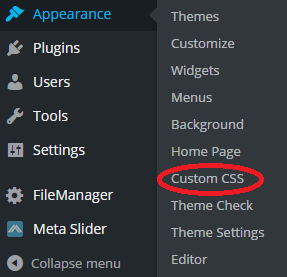
Brilliant CSS Plugin for WordPress
Here’s a quick overview of what may well be the best CSS plugin available for WordPress. SiteOrigin CSS SiteOrigin, creator of the popular and very customizable Vantage theme, also authors a comprehensive set of plugins that not only enhance every theme it releases, but can also be used to enhance almost any other WordPress theme.…
-
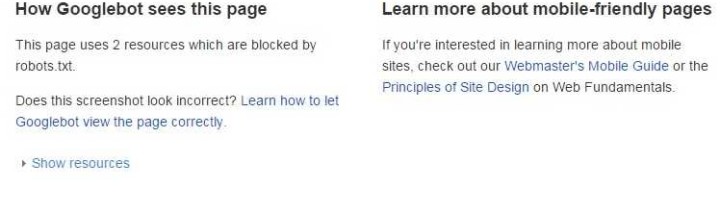
Is Your WordPress Site Ready for Google’s Mobile Algorithm?
April 21, 2015 has come and gone – and with it Google’s deadline to ensure that your Web site is mobile-ready. That is, your Web site should display clearly on multiple devices, particularly smartphones and tablets. If it doesn’t, then Google may rank it lower in mobile search results. How to Tell if Your WP Site…
-
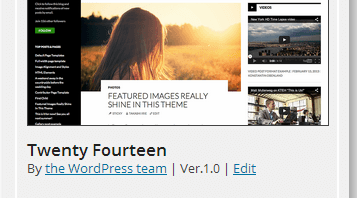
Cool WordPress Child Theme Maker Plugin
Have you ever wanted (or tried) to create a WordPress child theme, but somehow could not get it to work? Perhaps you’re a little handy with code (CSS, HTML, PHP) but not with manually uploading files to your server. Or perhaps you just want a simple way of ensuring that you’re including the right files…
-
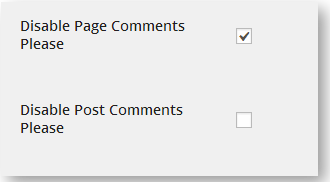
Disable WordPress Page Comments by Default
It’s 2014, and WordPress is well into its 11th year of existence. It’s become the most widely-used Web site CMS (content-management system) in the world. So, why do “static” pages still accept user comments by default? Specifically, when you create a new page (a page, not a post) in WordPress, it allows users to add comments…
-
Make Your WordPress Twenty Ten Theme Responsive
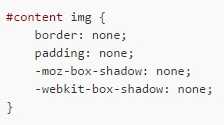
I know, I know…it’s 2014. WordPress.org has stopped updating the Twenty Ten theme. Most WordPress users have moved on to themes Twenty Twelve and higher. However, you may have well-designed child themes based on the old Twenty Ten theme, a fixed-width parent theme that, nonetheless, has a lot to like. It’s solid and easy to…
-
Automatic Updater Plugin for Self-Hosted WordPress Sites
Keeping your WordPress site’s backend (plugins, WordPress version, and themes) up to date can be a hassle, especially if you maintain numerous WordPress sites. For years, I wondered why WP doesn’t provide a dashboard option for automatic updating, configurable by update type (i.e., checkboxes for themes, plugins, and WordPress core software). As it turns out,…