
Here’s a quick overview of what may well be the best CSS plugin available for WordPress.
SiteOrigin CSS
SiteOrigin, creator of the popular and very customizable Vantage theme, also authors a comprehensive set of plugins that not only enhance every theme it releases, but can also be used to enhance almost any other WordPress theme. Best of all, these plugins are free.
SiteOrigin CSS works like Jetpack’s Custom CSS plugin. Once the plugin is installed and activated, you’ll find a new option under Appearance on the left-hand side of the WordPress dashboard.
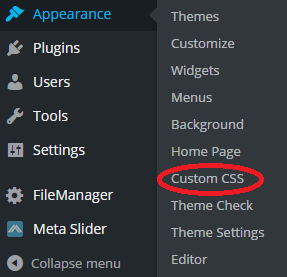
If you have the Jetpack plugin installed and activated, you’ll see an “Edit CSS” option. To differentiate itself from the latter, the SiteOrigin plugin provides a “Custom CSS” option.
Click that, and here’s what you get:
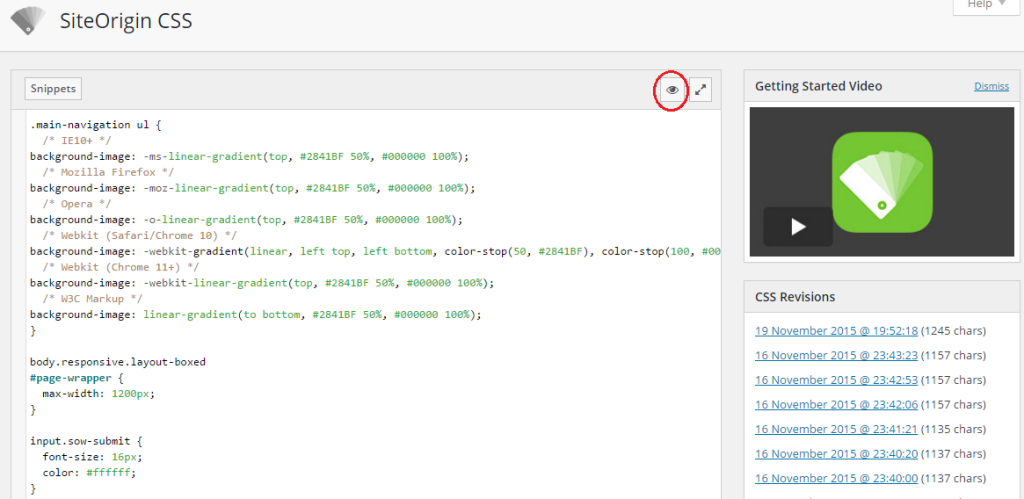
The default view is the code editor. If you know CSS, dive right in. There’s code hinting, code completion, and color-coded syntax highlighting. This is the view you’ll use when you know the exact CSS code you want to override, usually by using your browser’s “Inspect Element” feature and locating the code that appears to the right or bottom of your browser window.
However, you can toggle over to the Visual view, just by clicking the eyeball icon in the above image (circled in red).
Now, you’ll get a split screen, with CSS options on the left and a live view of your site on the right. Visual view works much like the WordPress Customizer itself, showing you live previews of any changes you make on the right-hand side of the screen.
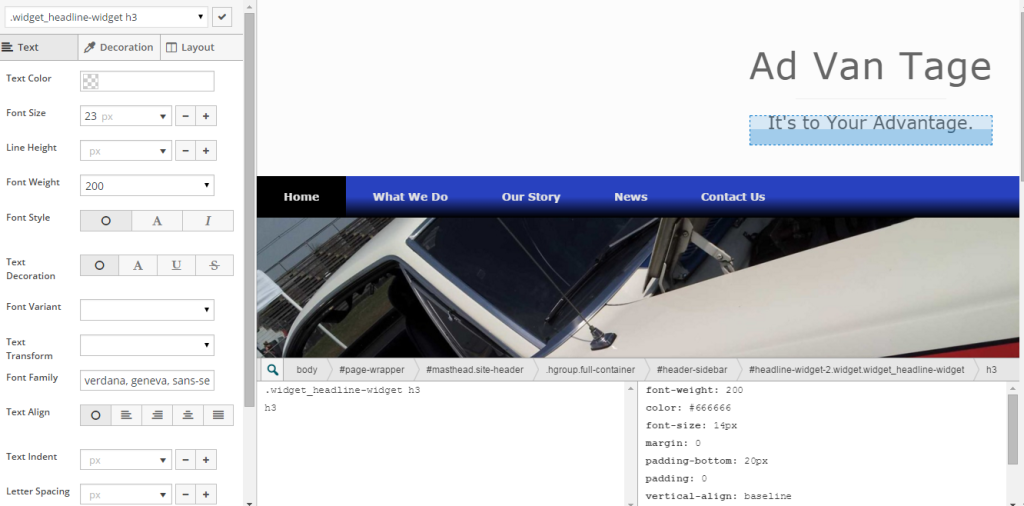
Locate the exact code you want to edit by perusing the bottom left of the live-site preview. Click on the code you see in the left pane – the live preview screen will select it and show you what it affects.
Use the options on the far left-hand side of the visual editor to make your changes. There are three tabs: text, decoration, and layout. Each provides an intuitive panoply of options (this image shows only the first handful):
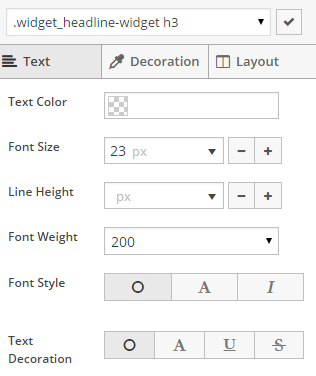
When you’ve made the changes you want, click the check mark in the upper right of the left-hand pane. That returns you to the editor’s code view, where you can see the code that was just created in Visual mode. To save your changes, just hit the “Save CSS” button underneath the code editor.
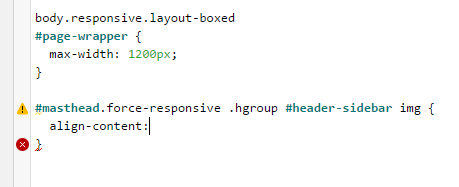
One of the nice things about this useful tool, besides writing clean CSS code, is that you can edit the code generated by the Visual editor when you’re in code view. The editor will provide hints as to the correct code to type, along with code completion and syntax highlighting. It will even warn you (via a red circle with an “x” in the middle) when you’ve coded something incorrectly.
Another goodie is the “Getting Started” video to the right in the default, code view of the editor. Whether or not you’ve viewed the video, you can click “dismiss” if you’d rather not see it again.
Changing Themes
If you switch themes, SiteOrigin CSS stores your CSS in the WordPress database, away from view, until you switch back to the theme you were originally working on. So, if you switch to a different theme, the plugin generates a new, clean stylesheet for your current theme. If you switch back to another theme you were using the plugin for, your old CSS code is restored.
I recommend this plugin for any CSS tweaks you make to a WordPress site. It’ll work with any theme – and it’s at least as good as any premium CSS plugin I’ve tried. Some may offer more visual features, but if you want more control over your code while improving your CSS knowledge, this is the one to use.


Have Your Say!