
Tag: wordpress help
-

Black Friday? Cyber Monday? No Thanks, I’m Good.
Full-Site Editing, especially with the latest default WordPress theme, may be the best-kept secret in WordPress. This post hits as I mark 16 years working with WordPress. Before that, I had been making web sites for almost nine years. I’ve seen plenty of changes in web publishing in general – and with WordPress in particular.…
-

Questions to Ask Before Buying a WordPress Theme
You spy a great-looking WordPress site and want yours to be similar. Or a Google search for WordPress themes yields one that seems perfect. Before investing your money and / or time, answer these questions: Is the Theme Fully Responsive? Sure, it’s 2020 and most theme developers have made their products mobile-ready. But you can’t be sure…
-

A WordPress Child Theme Alternative
You find a knockout WordPress theme. With minor font, color, and layout tweaks, it’ll look great. Add in some custom functions, such as support for certain post types or control over social media thumbnails, and it’ll be almost perfect. Normally, you’d make a child theme for that. A child theme piggybacks off the theme you’re considering, letting you…
-
Moving From WordPress.com to Self-Hosted WordPress
You’ve had your own blog on WordPress.com for some time, but you’re ready for more control. Or perhaps you’ve had a business site there but want to push beyond the limitations of WordPress.com, so you can install your choice of plugins or custom themes. How do you go from WordPress.com to a WordPress site on your own hosting? It’s not…
-

SEO for WordPress: Pretty Permalinks
One key way to make your pages search-engine friendly is to create URLs that contain strong key words. For example, on a WordPress business site that sells ceramic donkeys, instead of having your “About Us” page address look like this: www.acmedonkeys.com/about-us …try making it look like this: www.acmedonkeys.com/about-our ceramic-donkeys In addition to page, title, and meta…
-

My Erstwhile Top WordPress Theme Picks
Note: I’m in the process of an updated post on my favorite WordPress themes. Though the themes I reviewed here were quite good in 2015, they are not all among my top picks in 2020 (however, the free version of Make remains a decent choice, while Vantage and other SiteOrigin products still rock!). I’ll be…
-
New Child Theme | Minor Site Redesign
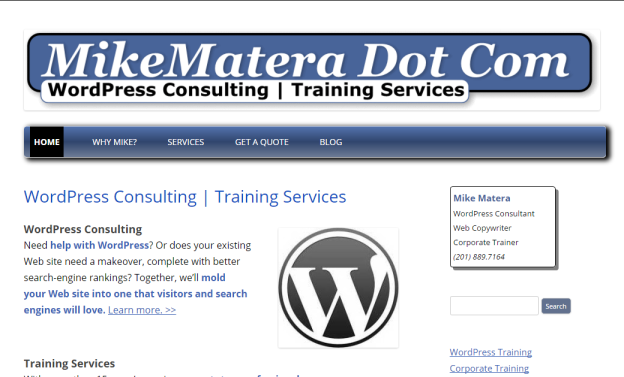
Note: this post reflects a previous site design. This site is no longer using the theme or plugins cited in the article. Yes, I finally did it. I finally updated this site’s theme from a Twenty Ten child theme to one based on Twenty Twelve. And it didn’t hurt at all. Well, only a little.…
-
Is Your WordPress Site Ready for Google’s Mobile Algorithm?
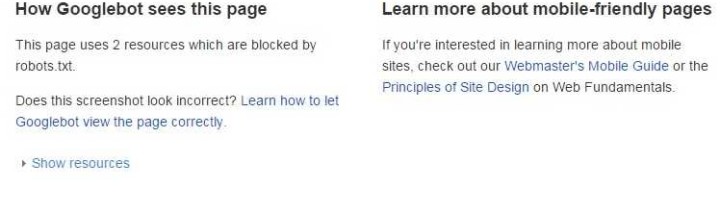
April 21, 2015 has come and gone – and with it Google’s deadline to ensure that your Web site is mobile-ready. That is, your Web site should display clearly on multiple devices, particularly smartphones and tablets. If it doesn’t, then Google may rank it lower in mobile search results. How to Tell if Your WP Site…
-

Help! My WordPress Admin Toolbar Is Missing!
Short one today, but trust me – it’s useful. Have you ever logged into a WordPress site, then clicked “Visit Site” in the upper left-hand corner of your dashboard, only to find that the familiar WordPress admin bar is missing when you’re viewing pages? Specifically, that’s the toolbar you’ll see at the top of this…
-
Disable WordPress Page Comments by Default
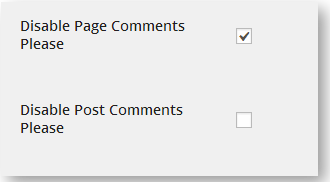
It’s 2014, and WordPress is well into its 11th year of existence. It’s become the most widely-used Web site CMS (content-management system) in the world. So, why do “static” pages still accept user comments by default? Specifically, when you create a new page (a page, not a post) in WordPress, it allows users to add comments…