
Have you ever wanted (or tried) to create a WordPress child theme, but somehow could not get it to work? Perhaps you’re a little handy with code (CSS, HTML, PHP) but not with manually uploading files to your server. Or perhaps you just want a simple way of ensuring that you’re including the right files when you create your own child theme.
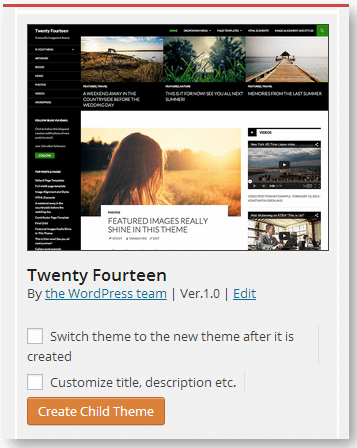
Here’s a little gem of a plugin: Orbisius Child Theme Creator. I tried it on one of my test sites, and thus far, it works wonderfully. Not only does it let you enter the relevant child theme info (theme name, author, theme URL, author URL) but it also whips up the theme for you in seconds – and provides a handy, dashboard theme editor to boot. Furthermore, you can click a box that will activate the new theme once it’s created.
To create a child theme after installing and activating the plugin,, just find the “Orbisius Child Theme Creator” link, available down the left-hand side of the WordPress dashboard, under both the Appearance and Tools menus. That will take you to a screen that looks a lot like the Themes screen, except that you’ll see options added to each theme’s screenshot:
The Orbisius theme editor has two panes: on the left is your child theme. On the right, you can choose any other theme you have installed, from which you can copy or compare code. There are even options to check your PHP syntax and create a new theme file, right from your dashboard. The new theme editor remains available to use on any other installed themes, even on themes not created with the plugin.
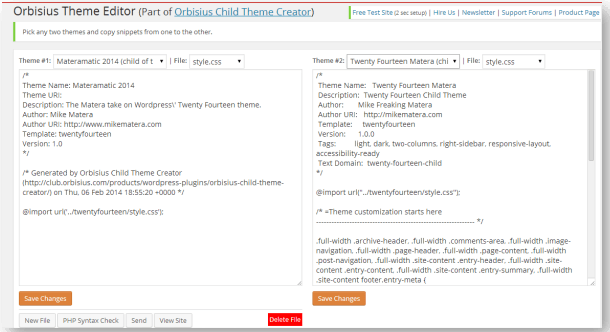
I tested the plugin by creating a child theme from Twenty Fourteen. As it should have, it created a new theme folder and put it in the proper (themes) directory, on the server, with all my other themes. The child theme had the requisite files: style.css, header.php, footer.php, and screenshot.png, along with an rtl.css file and a file unique to the plugin (.ht_orbisius_child_theme_creator.json).
One small downside is that the plugin named the child theme folder “twentyfourteen-child-01”. I would prefer the option of giving the folder a name of my choosing, but that’s a minor issue. Your new child theme nonetheless shows up in your theme directory with the unique name you chose for it when you created the theme. It has all the options of the parent theme, including the default “customize” options if the parent theme supports those.
I haven’t done any serious work with this plugin, but my initial impressions are very favorable. Even if you want something you can use to jump-start your next child theme, after which you’ll make changes to it the way you otherwise would, Orbisius Child Theme Creator looks to be a very handy tool.


Have Your Say!